AnyDB Multi User / Group Cell
Multi User / Group Cell Type
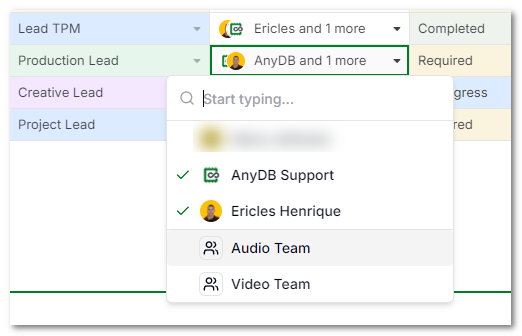
Multi User / Group cells allow selecting multiple users or user groups in a single cell. They are useful when a record needs more than one owner, participant, reviewer, approver, or audience.
Use this cell type when responsibility or visibility belongs to a group of people rather than a single user.
Common Uses
- Assign a record to multiple people.
- Select reviewers, approvers, or collaborators.
- Store teams, departments, or user groups related to a record.
- Drive notifications or automation based on selected users and groups.
User and Group Selection
Users can select more than one value. Values can include:
- individual team members
- user groups
The selected users and groups are displayed in the cell so the record's participants are visible at a glance.
Setup Notes
Use Multi User / Group cells when the value may naturally contain more than one person or group. If the record should only ever reference one person, use a User cell instead.